If you need all events to be sent to all campaigns except one specific event, which should only be sent for selected campaigns, you can use the Webhook CAPI integration as a workaround.
This gives you control over which campaigns fire that specific event, while all other events continue to be reported as usual.
Step 1: Create a CAPI Integration with Webhook
Reference: Custom Webhook Integration
-
-
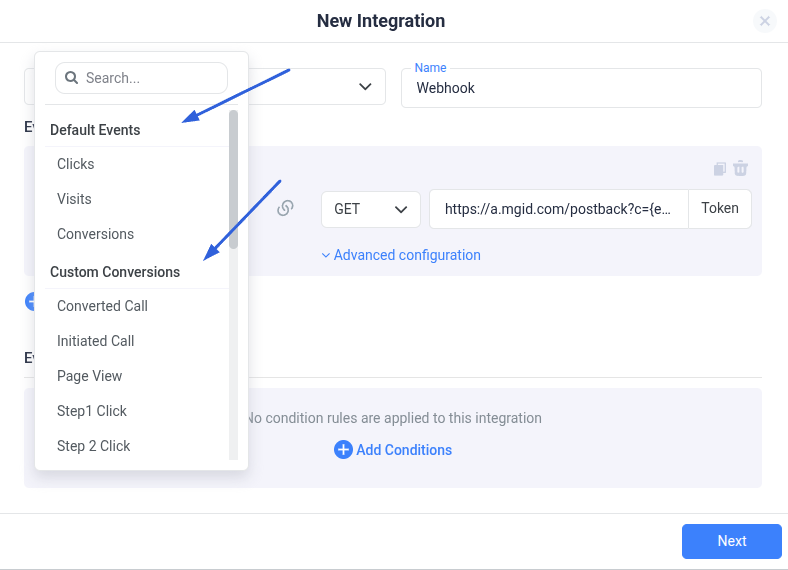
Go to Integrations > CAPI Integrations > Webhook.
-
Specify Clicks (or the event you want to send selectively) as the event to be reported.
-
Configure the postback URL for your traffic source (e.g., MGID), using the proper data replacements.
-
Step 2: Assign the Integration to Specific Campaigns
-
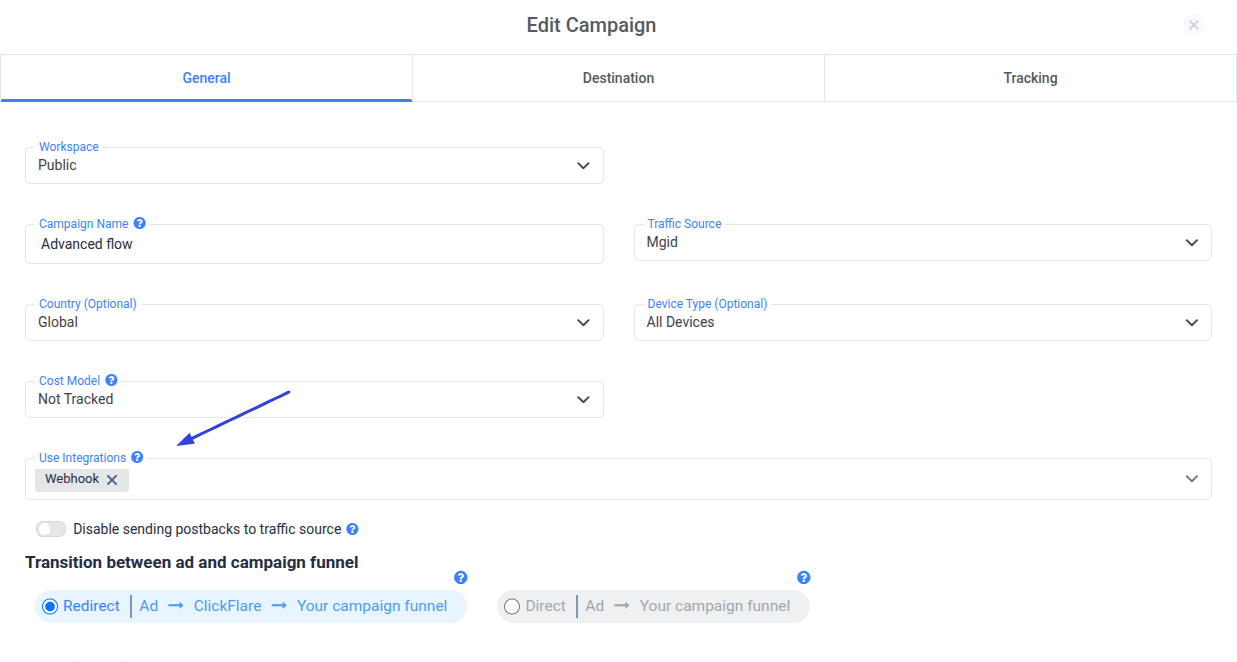
Once the Webhook CAPI integration is created, go to the campaign settings.
-
Select the CAPI integration only for the campaigns where you want the specific event (e.g., clicks) reported.
Step 3: Configure Traffic Source Events Normally
-
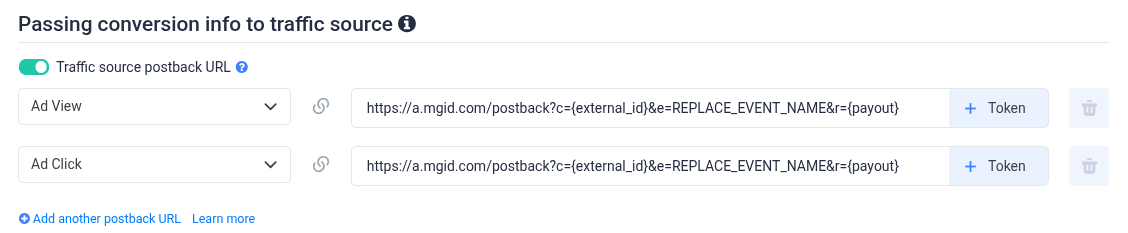
At the traffic source level, configure the events you want to report to your traffic source, excluding the selectively reported event (e.g., clicks).
-
This way, all other events will continue to be sent via the standard postback for all campaigns that use the same Traffic Source Template.
Result
-
The specific event (clicks in this example) is sent only for the selected campaigns through the Webhook CAPI integration.
-
All other events are reported normally to all campaigns through the standard setup.
