By using ClickFlare’s Conversion API for SmartNews Ads, you can report conversion events from ClickFlare back to SmartNews through SmartNews Conversions API (CAPI).
This works similarly to server-to-server postbacks, but is simpler to maintain and provides more reliable attribution.
Why should I use the Conversion API for SmartNews Ads?
Due to increasing browser restrictions and privacy frameworks (GDPR, ITP, ad blockers, etc.), traditional client-side tracking (SmartNews pixel only) can miss a significant portion of conversions.
SmartNews Conversions API helps you overcome these limitations by sending events directly from ClickFlare’s servers to SmartNews, ensuring that the conversions tracked in ClickFlare are also reflected in SmartNews Ads reporting and optimization
With the SmartNews CAPI integration, you can:
-
Improve conversion accuracy and reduce data loss
-
Give SmartNews better data to optimize delivery and bidding
-
Maintain attribution even if cookies or browser tracking fail
What you'll need for the integration
- An Active SmartNews Ads account
- For web campaigns: SmartNews Pixel created in Event Manager
- An active ClickFlare account
- Your SmartNews partner name and account name
- Your SmartNews Pixel ID and access token
Where to Find SmartNews Conversion API Information
Implementation
- Create a Pixel in the Event Manager
- API Callpixel_tag_id. This includes adding the partner name and access token as common request parameters.
- Set up server-side event tracking.
Downloading the authentication information
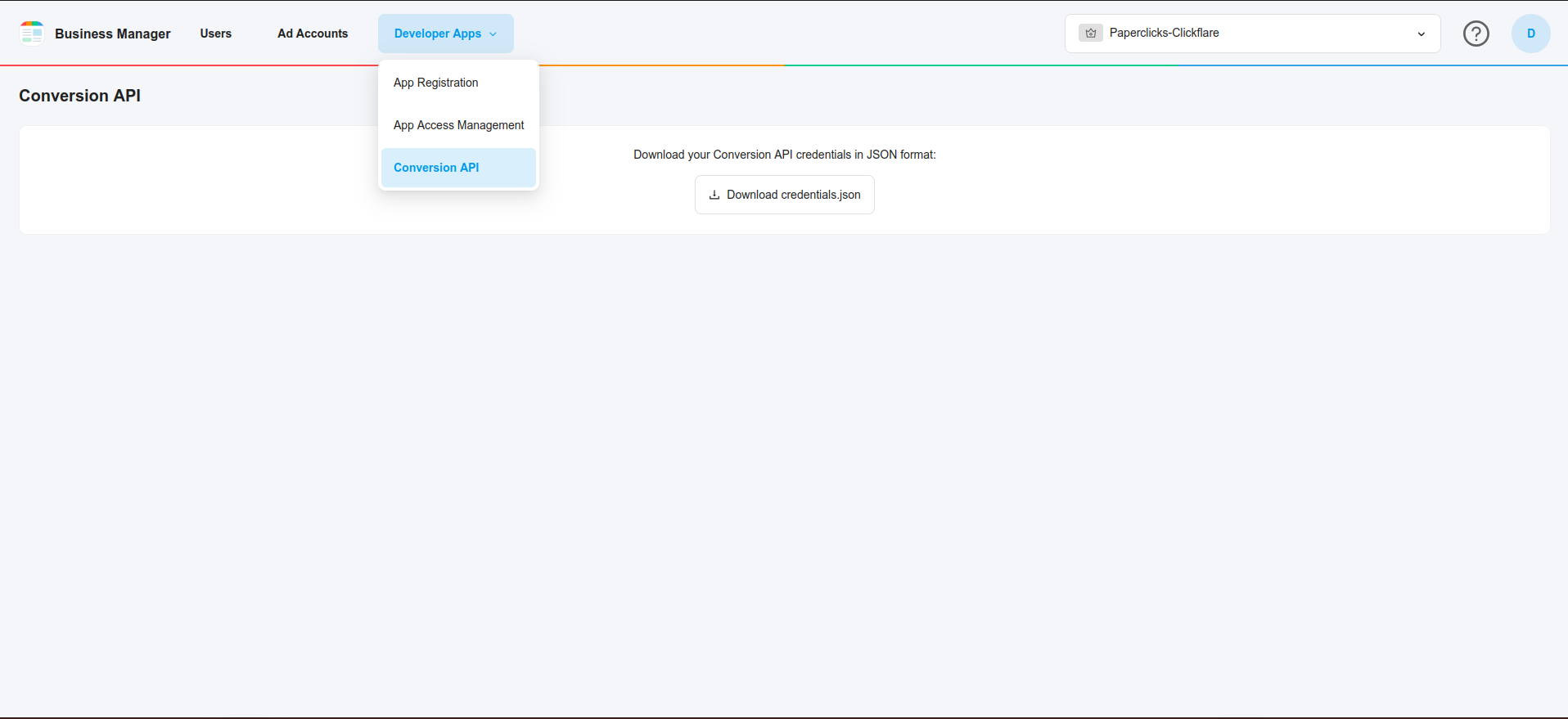
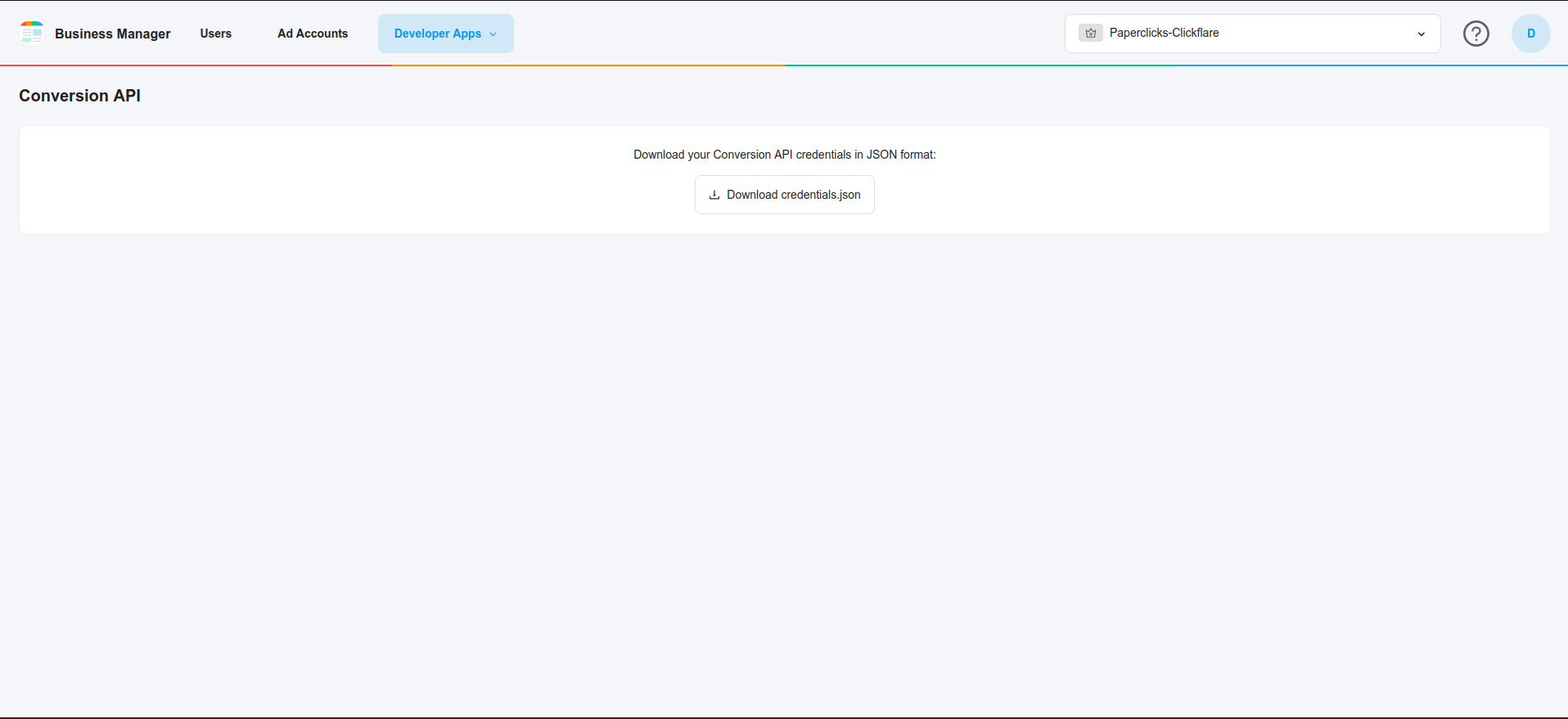
- Go to Business Manager ( https://ads.smartnews.com/bm/ ) and select the business that will use the Conversion API. Then click on "Conversion API" in the "Developer Apps" tab. Follow the on-screen instructions to download your credentials.
.png)
.png)
- From the downloaded file, obtain the partner_name and access_token.
Integrating SmartNews Conversion API in ClickFlare
Follow the steps below to add your SmartNews CAPI integration in ClickFlare:
-
In ClickFlare, open the left-side menu and go to
Integrations → Conversion API Integrations -
Click Add Integration
-
From the list of available integrations, select SmartNews
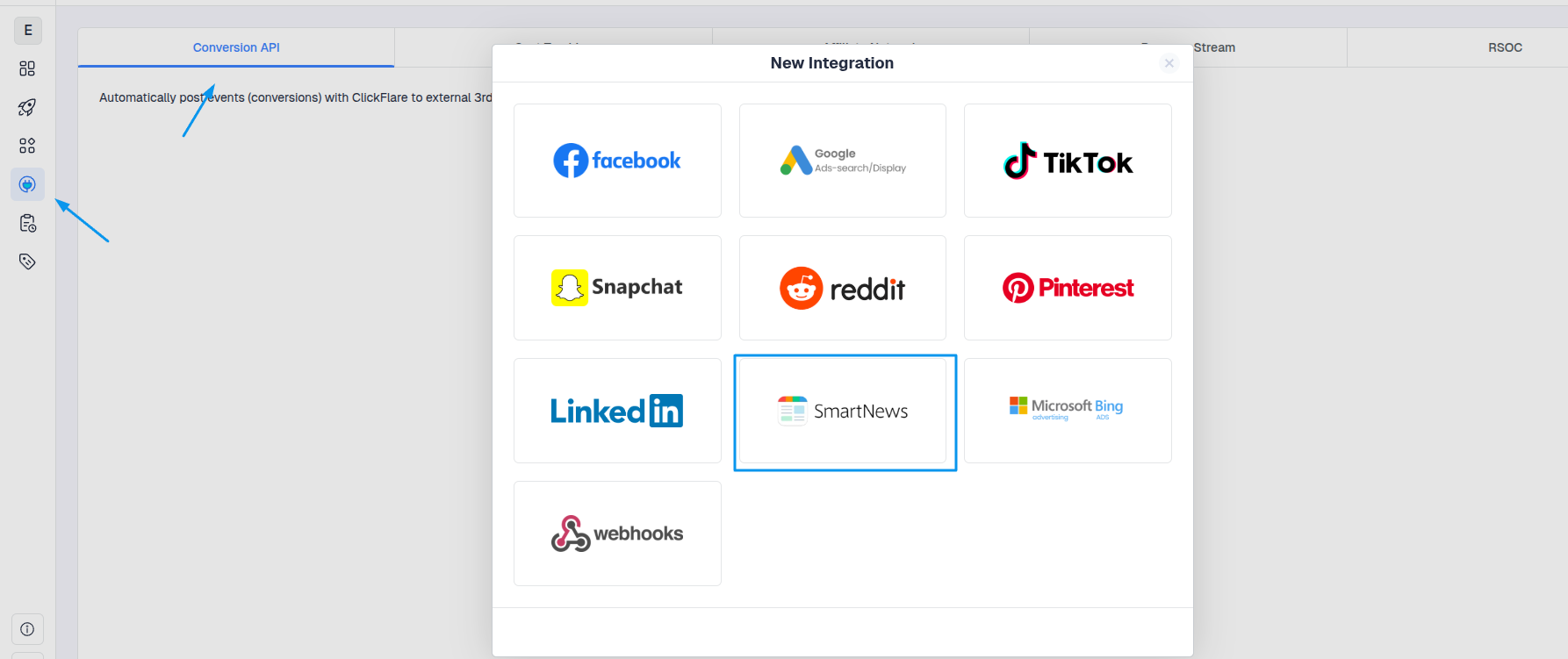
Add a new SmartNews CAPI configuration
In the SmartNews integration setup window:
-
In the SmartNews integration screen, click Add a new Pixel.
-
Fill in the following details:
-
Account name:
-
Partner Name
-
Pixel Tag ID
- Access Token
-
-
Click Save.
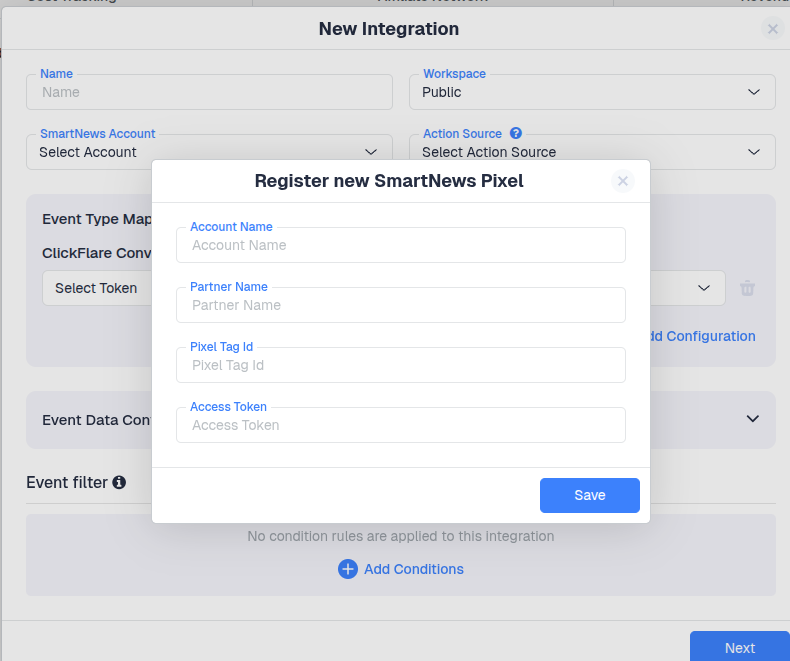
Map ClickFlare Events to SmartNews Events
Next, specify which ClickFlare conversion events should be sent to SmartNews and how they map to SmartNews standard event names.
Common SmartNews events include:
-
Checkout – completed purchase or transaction
-
Add To Cart – item added to cart
-
Page Visit / View Content – key landing/product page views
-
Lead – lead or signup intent
-
Signup – registration
-
Search – on-site search
- Purchase History -
-
Custom – any custom funnel action
Make sure that:
-
Only relevant ClickFlare events are mapped
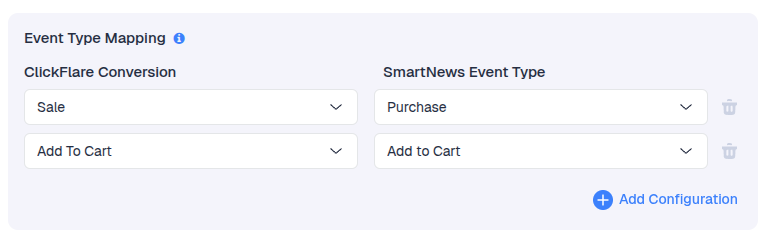
Learn how to create custom events on ClickFlare
Configure Event Data and Additional Parameters
ClickFlare automatically includes required parameters in the SmartNews CAPI payload, such as:
-
SmartNews Click ID when tracked properly
-
Client IP Address
-
Client User Agent
-
Value & Currency (for purchase-related events)
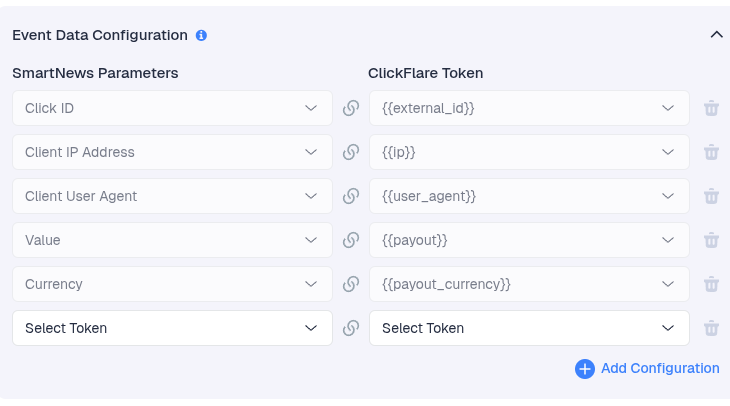
You can optionally enrich events with additional match keys, e.g.
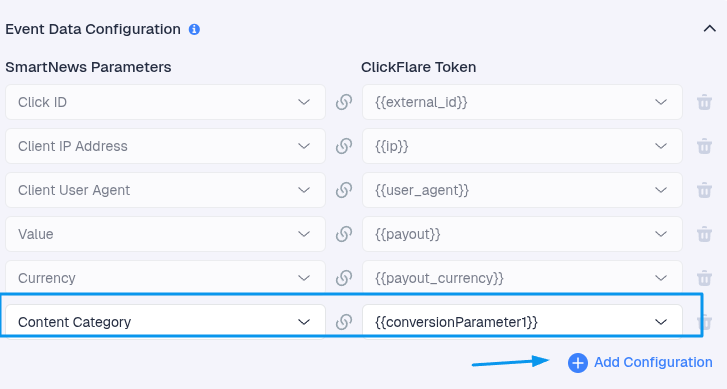
Some fields are required for proper attribution and cannot be removed.
If you use the SmartNews Traffic Source template, ClickFlare automatically appends required parameters (including the SmartNews click ID) to the payload.
Finally, click Save.
