ClickFlare’s direct API integration with NewsBreak allows you to track costs across all campaign levels without leaving ClickFlare.
Once connected, cost data is automatically updated, ensuring your reporting stays accurate and up to date for better campaign optimization.
Requirements
Before starting, make sure you have:
- An active NewsBreak account
- An active ClickFlare account
- Access token (API key) from NewsBreak
The API key is usually available in your NewsBreak account settings. If you can’t find it, contact your NewsBreak account manager for assistance.
How to Set Up the Integration
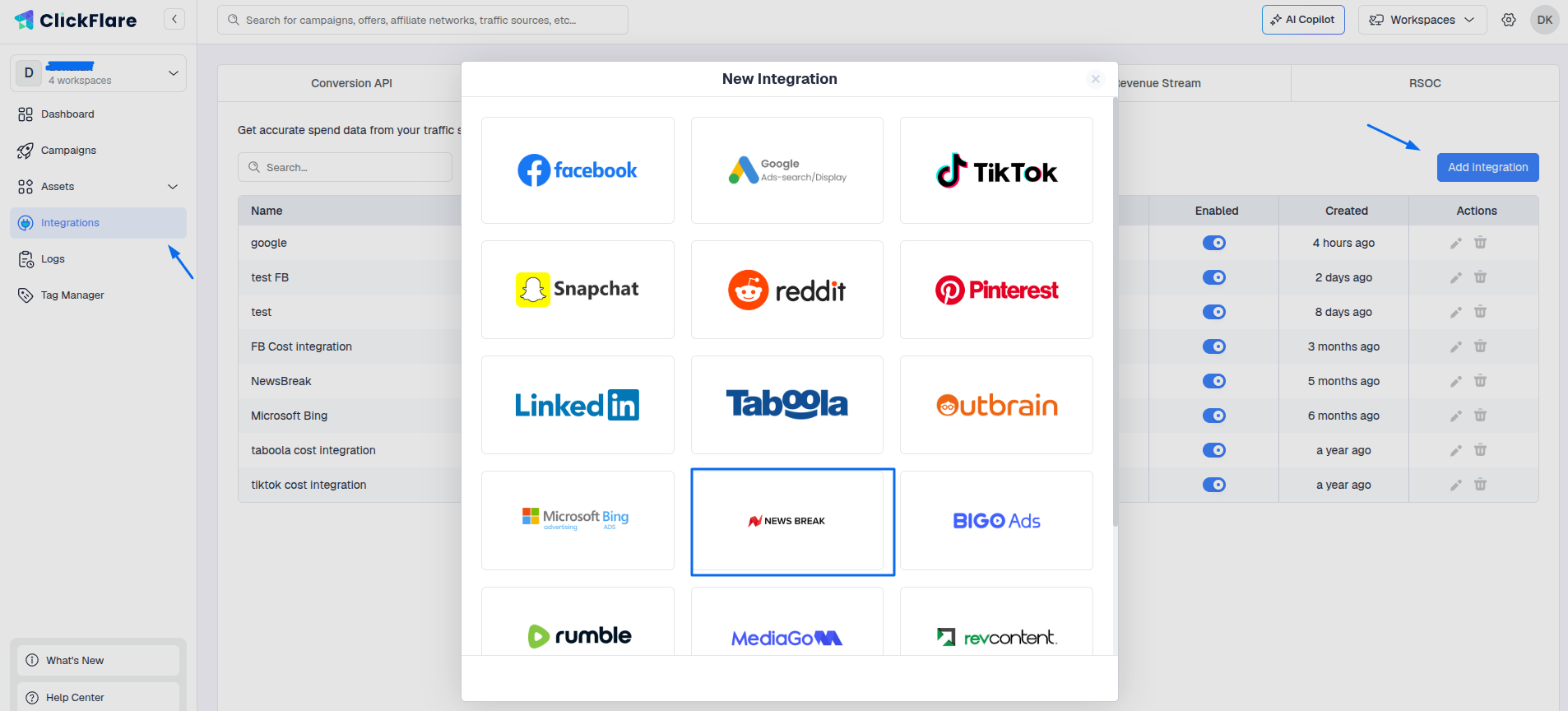
- Open the ClickFlare left sidebar
- Go to Integrations
- Under Cost Tracking Integrations, click Add Integration
- Select NewsBreak from the list of available integrations
Configure Integration Details
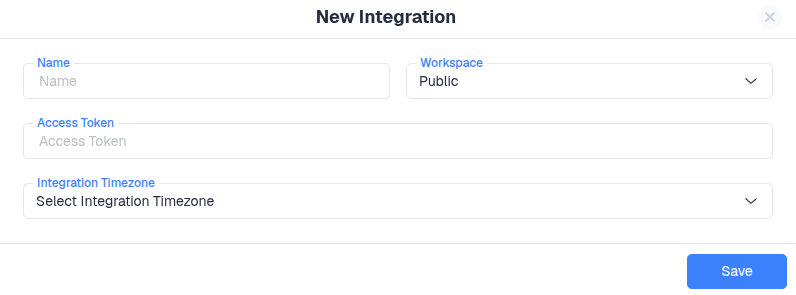
Now fill in the required information:
- Workspace: Choose where this integration will be used (public or private workspace)
- Integration Name: Give it a clear, recognizable name
- API Key: Paste your NewsBreak API key
- Timezone: Select the same timezone used in your NewsBreak account
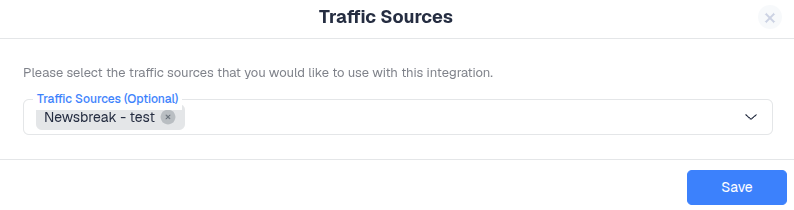
Optional:
- You can assign specific traffic sources to this integration
- If needed, refer to the guide on how to add NewsBreak as a traffic source in ClickFlare
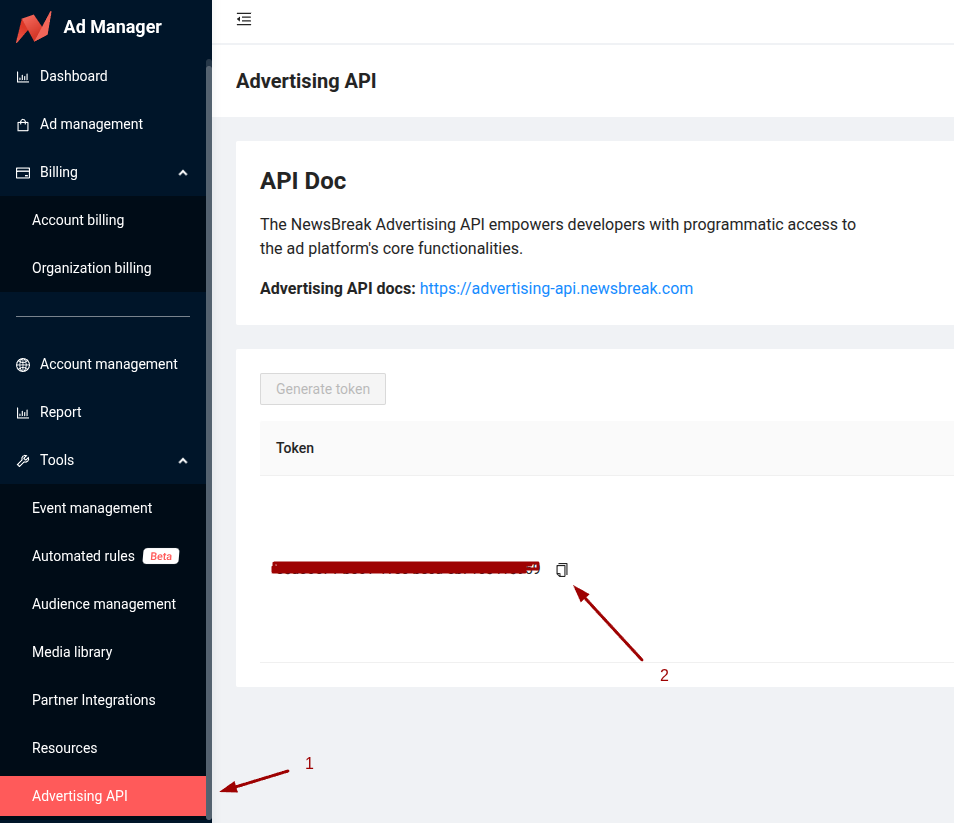
To Find Your NewsBreak Access Token
Go to NewsBreak → Tools → Advertising API → Token, then copy the token.
Important Note
Setting up the cost integration alone is not enough to fully track campaigns.
You must also add NewsBreak as a traffic source in ClickFlare.
- The cost integration handles cost syncing
- The traffic source setup enables full campaign tracking
Both are required for complete and accurate reporting.
