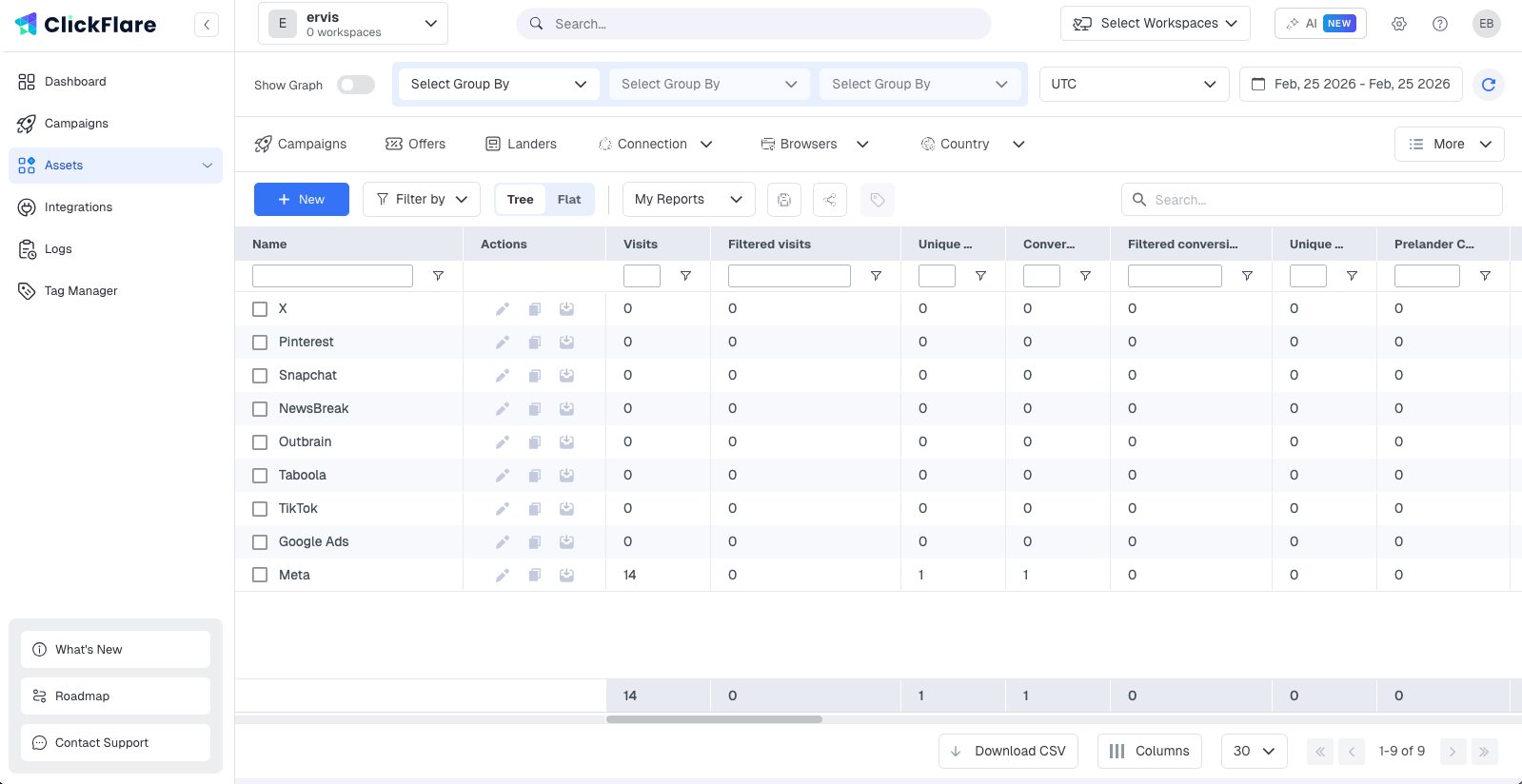
What a Traffic Source Does
Every campaign in ClickFlare must be assigned a traffic source. When you select one, two things happen automatically:
- The tracking parameters defined on the traffic source are appended to the Campaign URL. This is how ClickFlare captures data like ad ID, ad set ID, campaign name, placement, and cost from every click.
- ClickFlare knows which conversion reporting method to use for that platform: whether to fire a postback URL or use a Conversion API integration when a conversion is recorded.
Without a traffic source configured correctly, ClickFlare cannot attribute visits to specific ads and your reporting will be incomplete.
What a Traffic Source Contains
Every traffic source in ClickFlare has the same structure, whether created from a template or built from scratch.
Name and Workspace
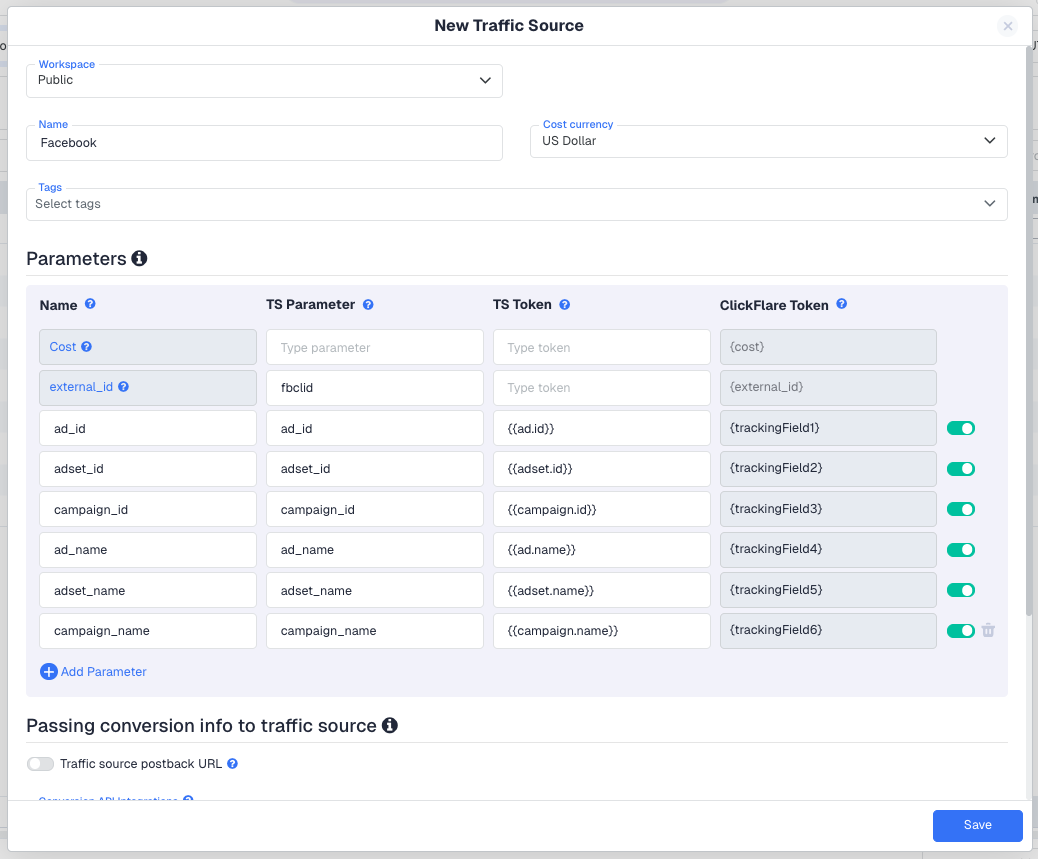
The name identifies the traffic source in dropdowns and lists throughout ClickFlare. The Workspace field controls which team members or clients can see and use this traffic source. If no workspace is assigned, it defaults to Public and is visible to everyone in the account.
Cost Currency
Sets the currency used for all cost calculations on campaigns that use this traffic source. If your ad account bills in EUR but your ClickFlare account reports in USD, ClickFlare will convert automatically. The currency is set once at the traffic source level and applies to all campaigns linked to it. Changing it later does not update campaigns that have already been created.
Tracking Parameters
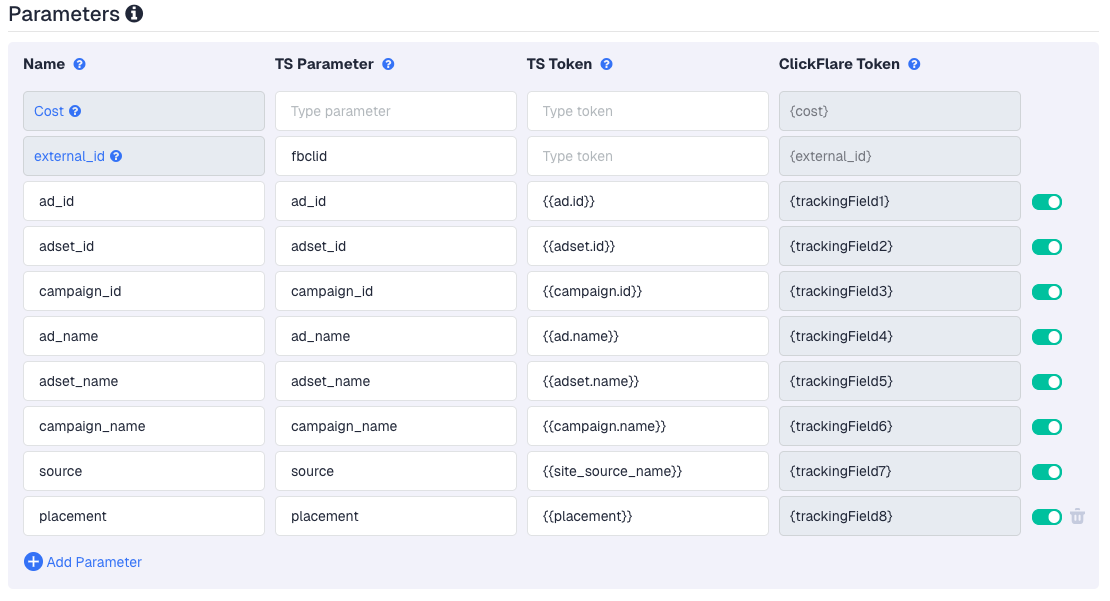
Parameters are the core of the traffic source configuration. Each parameter maps a token provided by your ad platform to a named variable that ClickFlare stores against every visit.
For example, a Facebook traffic source would include a parameter for ad_id mapped to the token {{ad.id}}. When a visitor clicks your ad, Facebook fills in the actual ad ID in the Campaign URL, and ClickFlare reads and stores it. You can then break down your stats by ad ID in the reports.
All parameters defined on a traffic source are automatically appended to the Campaign URL whenever you create a campaign with that traffic source selected. You do not need to add them manually per campaign.
If you create a traffic source from a template (Facebook, TikTok, Taboola, and so on), all standard parameters for that platform are already configured. You rarely need to edit them unless you have a custom setup.
Conversion Reporting
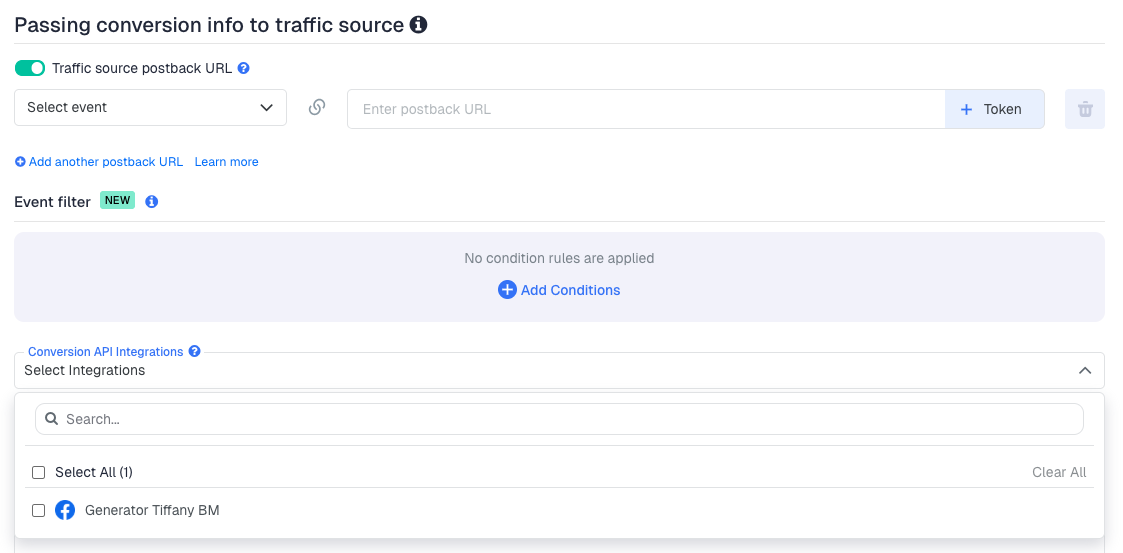
The Passing Conversions to a Traffic Source section controls how ClickFlare sends conversion data back to your ad platform when a conversion is recorded. There are two methods:
- Traffic Source Postback URL: a server-to-server call. When a conversion fires in ClickFlare, it sends an HTTP request to the traffic source containing the conversion data. Enable this with the toggle and configure the postback URL provided by your ad network.
- Conversion API (CAPI): available for supported platforms such as Meta and TikTok. CAPI is a deeper, more reliable integration that sends conversion data directly via the platform's API rather than a postback URL. Select the relevant integration from the dropdown.
You only need one method. If your platform supports both, CAPI is generally more reliable as it is less affected by browser restrictions and ad blockers.
Selecting a CAPI integration on the traffic source sets it as the default. Always verify the integration is also correctly configured on each individual campaign for accurate conversion reporting.
Notes
A free-text field for internal reference. Useful for recording platform-specific setup notes, which team member manages the account, or any quirks in the parameter configuration.
Templates vs. Custom
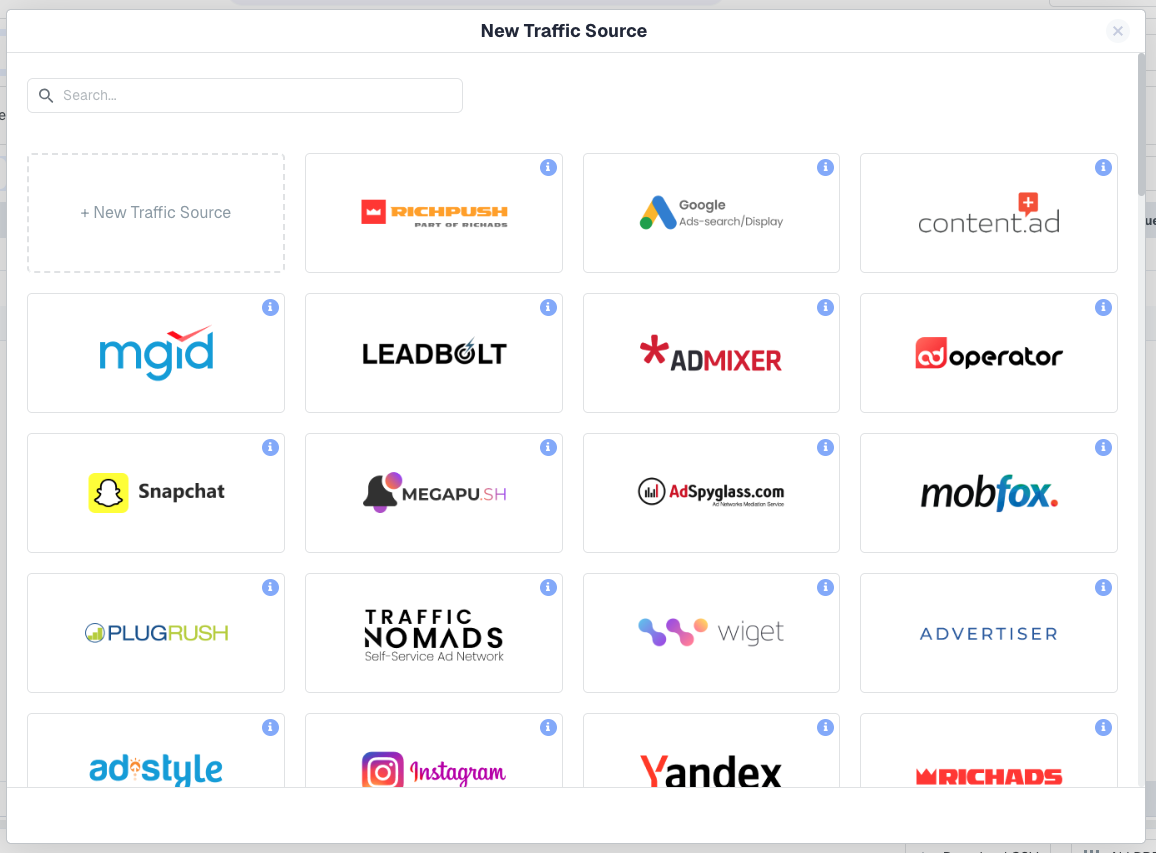
When creating a new traffic source, ClickFlare offers two starting points.
From a Template
Templates are pre-built configurations for popular ad platforms: Facebook, TikTok, Google Ads, Taboola, Outbrain, and others. All standard tracking parameters are already populated with the correct platform tokens, and CAPI support is pre-configured where available. This is the fastest way to get set up and the right choice for the vast majority of users.
Custom
A blank configuration you build from scratch. Use this when your ad network is not available as a template, or when you are running traffic from a source with a non-standard parameter structure. You will need to refer to your ad platform's documentation to enter the correct token names.
Even for less common platforms, ClickFlare's template library is regularly updated. Starting from a template saves significant setup time and reduces the risk of misconfigured parameters.
How a Traffic Source Connects to a Campaign
A traffic source is a reusable asset. Once created, it can be assigned to any number of campaigns. Each campaign that uses it will automatically inherit its parameter structure in the Campaign URL and its conversion reporting configuration.
You select the traffic source on the General tab of the campaign form. The moment you save the campaign, the Campaign URL shown on the Tracking tab will already include all the parameters from the traffic source, ready to paste into your ad.
If you change the cost currency on a traffic source, the change does not apply retroactively to existing campaigns. Only new campaigns created after the change will use the updated currency.
FREQUENTLY ASKED QUESTIONS
Got questions? Find the answers below:
Q1: Can I use the same traffic source for multiple campaigns?
A1: Yes. A traffic source is a reusable entity. You can assign it to as many campaigns as you want. Each campaign gets its own Campaign URL but inherits the same parameter structure and conversion reporting settings from the traffic source.
Q2: What happens if I edit a traffic source that is already used by live campaigns?
A2: Changes to parameters take effect for new visits on all campaigns using that traffic source. However, campaigns that were already created will not automatically have their Campaign URLs regenerated: you would need to re-save those campaigns to pick up any parameter changes.
Q3: Do I need to set up conversion reporting on the traffic source if I am using a postback on the campaign?
A3: The traffic source postback and the campaign postback serve different purposes. The traffic source postback sends conversion data back to your ad platform (Meta, TikTok, and so on) for optimisation. The campaign postback URL is what your affiliate network calls when a conversion fires. Both can be active simultaneously and do not conflict.
Q4: Should I use Postback URL or Conversion API for Facebook?
A4: Use Conversion API (CAPI) for Facebook wherever possible. CAPI sends conversion data directly via Meta's API and is not affected by browser-level tracking restrictions or ad blockers. This results in more conversions being attributed correctly in Meta's reporting and better campaign optimisation.
Q5: Can I have multiple traffic sources for the same ad platform?
A5: Yes. For example, you might create one Facebook traffic source for your main ad account and a separate one for a different business manager or currency. Each will generate independent Campaign URLs and can be assigned to different campaigns.
